Safaricom New M-Pesa System with 6,000 TPS and M-Pesa Split
A Dive into Safaricom new M-Pesa system that processes 6,000 transactions per second. See how M-Pesa split works and how to activate and manage it.
Safaricom has unveiled its Safaricom new M-Pesa system, a rebuilt platform that processes 6,000 transactions every second. The rollout, branded Fintech 2.0, replaces the infrastructure that has powered mobile money in Kenya for years.
This Safaricom M-Pesa update promises steadier service during busy periods. It also arrives alongside fresh business tools, including M-Pesa split payment and split notifications.
What the Safaricom New M-Pesa System Delivers
The upgraded core lifts capacity from 4,500 to 6,000 transactions per second, according to Safaricom’s earlier announcement. The company says the platform can scale further, with potential to reach 12,000 transactions per second.
That is the Safaricom new speed customers and merchants will notice when payments cluster around paydays and festive seasons.
Beyond raw capacity, the redesign simplifies how Safaricom adds features. New services can reach customers faster because the underlying technology is easier to build on.
This is the Safaricom new service foundation behind recent releases, including an optional payment validation step for Paybill. Anyone following Safaricom M-Pesa latest news will see that the platform upgrade and the new business features belong together.
What Is M-Pesa Split Payment in Kenya?
M-Pesa split payment is a Safaricom solution that automatically shares incoming money with other accounts in real time.
The moment a customer pays your Paybill or Till, the system distributes funds using preset percentages or fixed amounts. Merchants can route a share to up to three other business accounts.
Recipients may be other Paybills, Tills, Pochi la Biashara accounts, or registered customer phone numbers. For M-Pesa split payment Kenya businesses, this removes manual transfers and reduces reconciliation work. The paying customer sees only the total amount on the confirmation message, so the internal arrangement stays private.
M-Pesa Split Payment Charges
On M-Pesa split payment charges, Safaricom states there are no extra setup or subscription fees. Standard M-Pesa B2B tariffs apply only when money is forwarded to recipient accounts. Merchants should compare the tariff table against their expected split volumes before configuring any rules.
How to Activate and Manage M-Pesa Split Payment Online
Merchants can configure and monitor split rules through *234#, the M-Pesa Business Hub, or the M-Pesa Business App. That settles the M-Pesa split payment online question for owners who prefer a dashboard to USSD. The process follows a simple order:
- Select the Paybill or Till shortcode you want to configure.
- Add each recipient and choose a percentage or fixed amount.
- Review the terms and conditions, then confirm the rule.
Rules can be reviewed and adjusted later from the same channels.
What Is Split Deposit in M-Pesa? Understanding M-Pesa Jumbe
Some people confuse a split deposit in M-Pesa with split notifications, yet the two serve different purposes. Split Notifications, branded M-Pesa Jumbe, share payment alerts rather than money. After a Till or Paybill payment, three messages trigger. The owner receives a full alert, nominated staff receive a limited alert, and the customer receives a privacy-safe receipt.
Up to 50 staff members can be nominated to receive alerts. Staff messages leave out the owner’s balance, PIN and history. Customer receipts show a JumbeID, built from the customer’s initials and the last two phone digits.
How to Activate M-Pesa Split Notifications
Activation takes only a few moments on a phone. Dial *234# and select your Till or Paybill shortcode. Then accept the terms and conditions to switch the feature on. To manage settings later, dial *234# again and choose Option 2, Manage Split Notifications. Merchants can also use the Merchant Business Hub.
The feature is available to eligible Lipa na M-Pesa Till and Paybill merchants, as well as Pochi la Biashara users. Businesses with several cashiers or service points stand to gain the most, since staff can confirm payments without seeing sensitive figures.
Does Safaricom Have a New M-Pesa App?
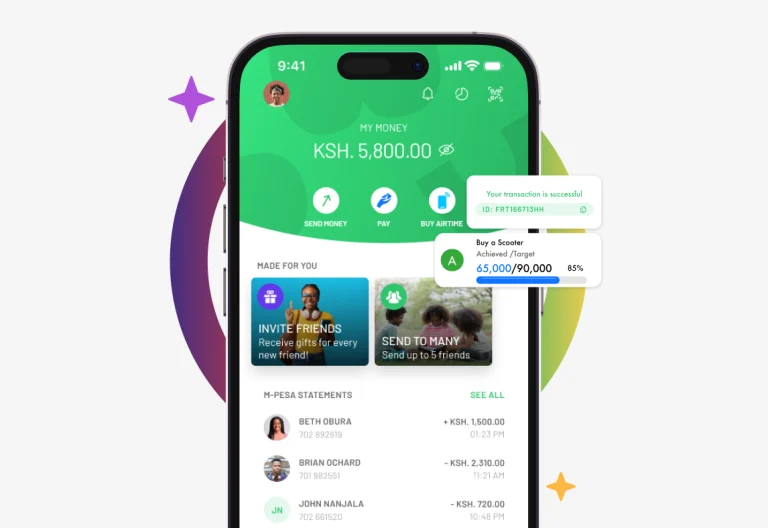
Safaricom’s latest materials point merchants to the M-Pesa Business App for managing split rules, alongside the Business Hub and USSD. The announcement focuses on the rebuilt platform rather than a separate consumer app. Customers will feel the improvement through faster, more reliable everyday payments.

Read Also: New M-Pesa Charges
A Stronger Foundation for Kenya’s Digital Payments
The Safaricom new M-Pesa system gives Kenya’s most widely used payment service more capacity and room to grow. M-Pesa split tools build on that base, helping merchants share revenue, protect privacy and keep teams informed. For business owners, activating these features is now a matter of a few taps or one USSD code.